 CapWake
Check your coverage
Prompt
Show CapWake’s supported companies and my remaining research allowance.Check coverage and access without using a research credit.
CapWake MCP
Find documented company connections and dated SEC filing evidence. Then ask Claude to organize the findings, prioritize research questions and draft a useful briefing.
Starting with semiconductors and AI infrastructure. More industries to follow.
Verified sign-in is required. Analysis also requires an active research allowance. Connecting does not issue credits or start a subscription.
See the connection
Follow a real CapWake workflow in Claude: start with a scenario, inspect the company connections and develop a cited action memo. Connection screenshots and setup instructions follow below.
In this 75-second walkthrough, follow a semiconductor headline through CapWake company connections, cited findings and a practical action memo in Claude. Uses an illustrative TSMC scenario and saved research. Recorded October 23, 2026; edited conversation highlights. OpenAI Cedar provides the AI-generated narration, with captions included in the picture.
Download video (3.0 MB)Download transcript
CapWake + Claude: from headline to next steps AI-generated Cedar narration, warm style. Illustrative TSMC scenario. Edited chronological highlights of a genuine saved-analysis conversation recorded October 23, 2026. The initial question/CapWake lookup is followed by the final action memo from later in the conversation. Spoken narration: 0.25s — intro A semiconductor headline lands. Which companies deserve your attention? CapWake brings filing-backed company connections into Claude, so you can build a focused research plan and turn the findings into practical next steps. 14.95s — news We start with a possible TSMC production pause, and ask CapWake which companies to investigate. Claude opens our saved company research. 25.35s — findings Later in the conversation, the action memo highlights Marvell and AMD. Marvell names TSMC as its sole advanced-node foundry, including three nanometers. AMD describes its reliance for CPU and GPU wafers at seven nanometers and below. Those specific connections give the team a clear starting point. 46.85s — actions Here is the practical payoff: a cited action plan. Map Marvell’s three-nanometer products and their revenue contribution. Identify AMD’s relevant products and investigate supply options. Compare inventory coverage against the two-week scenario. CapWake supplies the documented connections. Claude helps organize the priorities and turn them into a briefing your team can use. Explore CapWake at capwake dot com. Selected on-screen conversation: Initial question: Suppose TSMC announces a two-week pause in advanced-node production. I follow AMD, NVIDIA, Broadcom and Marvell. Use my latest saved CapWake analysis of this scenario to recommend which companies to investigate first and why. Give three concise takeaways with filing links, under 120 words. Focus on the findings and practical research priorities. Visible tool activity: Claude loads CapWake MCP and lists recent saved analyses. Later in the conversation — final action memo: TSMC Pause Action Memo Why focus here Marvell names TSMC as its sole foundry for advanced-node wafers, including 3nm (10-Q, Aug 2026). AMD sources all CPU and GPU wafers at 7nm and below from TSMC (10-K, Feb 2026). These are the most direct TSMC dependencies documented in our coverage. Recommended actions 1. Map Marvell’s 3nm products and their share of revenue. 2. List AMD’s products at 7nm and below, and confirm whether any alternative capacity exists beyond GlobalFoundries’ 12nm and 14nm. 3. Compare each company’s inventory days against a two-week supply gap. Filing links in the final memo: Marvell: https://www.sec.gov/Archives/edgar/data/1835632/000183563226000025/mrvl-20260801.htm AMD: https://www.sec.gov/Archives/edgar/data/2488/000000248826000018/amd-20251227.htm Additional filing sources in the saved four-company analysis: Broadcom: https://www.sec.gov/Archives/edgar/data/1730168/000173016825000121/avgo-20251102.htm NVIDIA: https://www.sec.gov/Archives/edgar/data/1045810/000104581026000021/nvda-20260125.htm
Filings cited in the recording
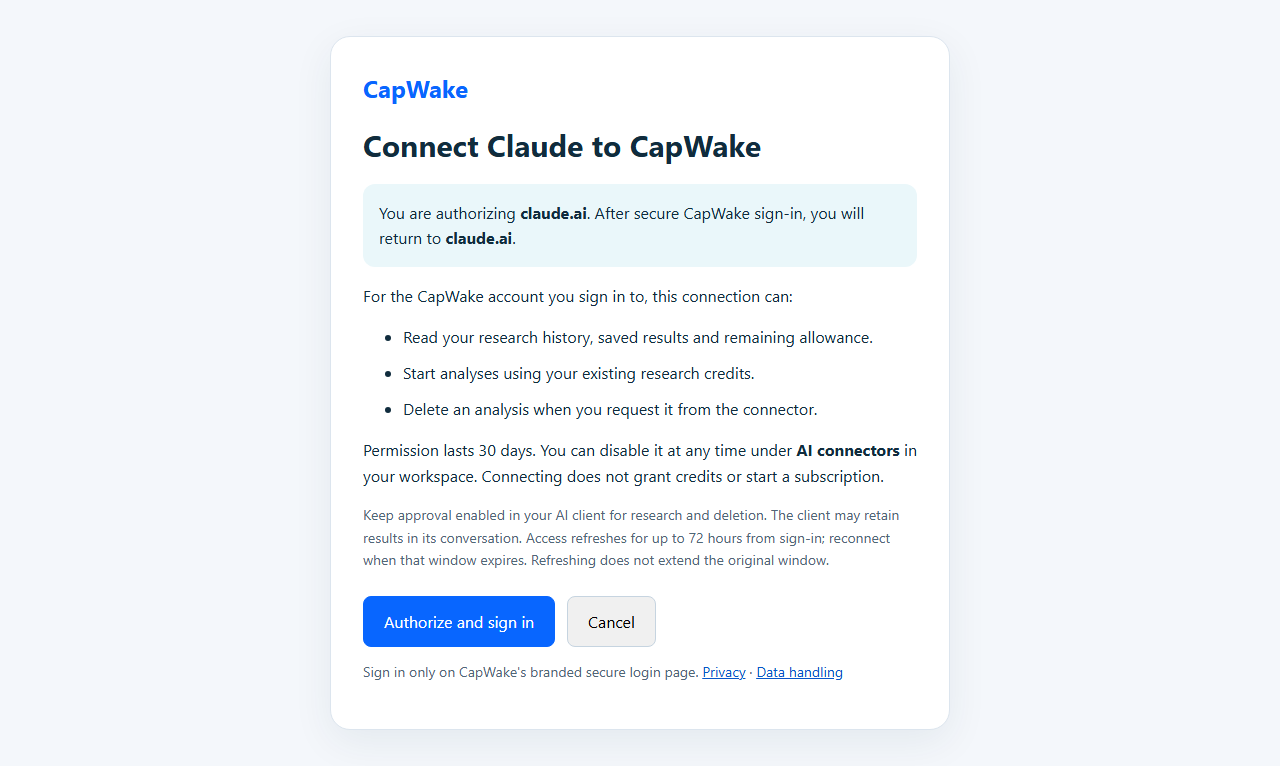
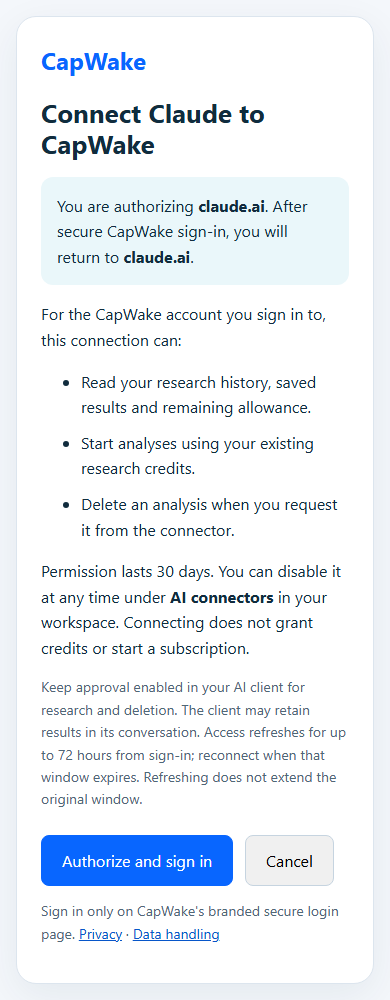

Actual CapWake connection screens captured October 1, 2026, before credentials were entered. Your AI app’s connector screen may look different.
This genuine Claude web capture shows CapWake research for an invented TSMC disruption scenario. It is a demonstration, not verified news. Marvell and NVIDIA appear with PARTIAL evidence, dated filing links and a clear distinction between a documented connection and an event’s effects.
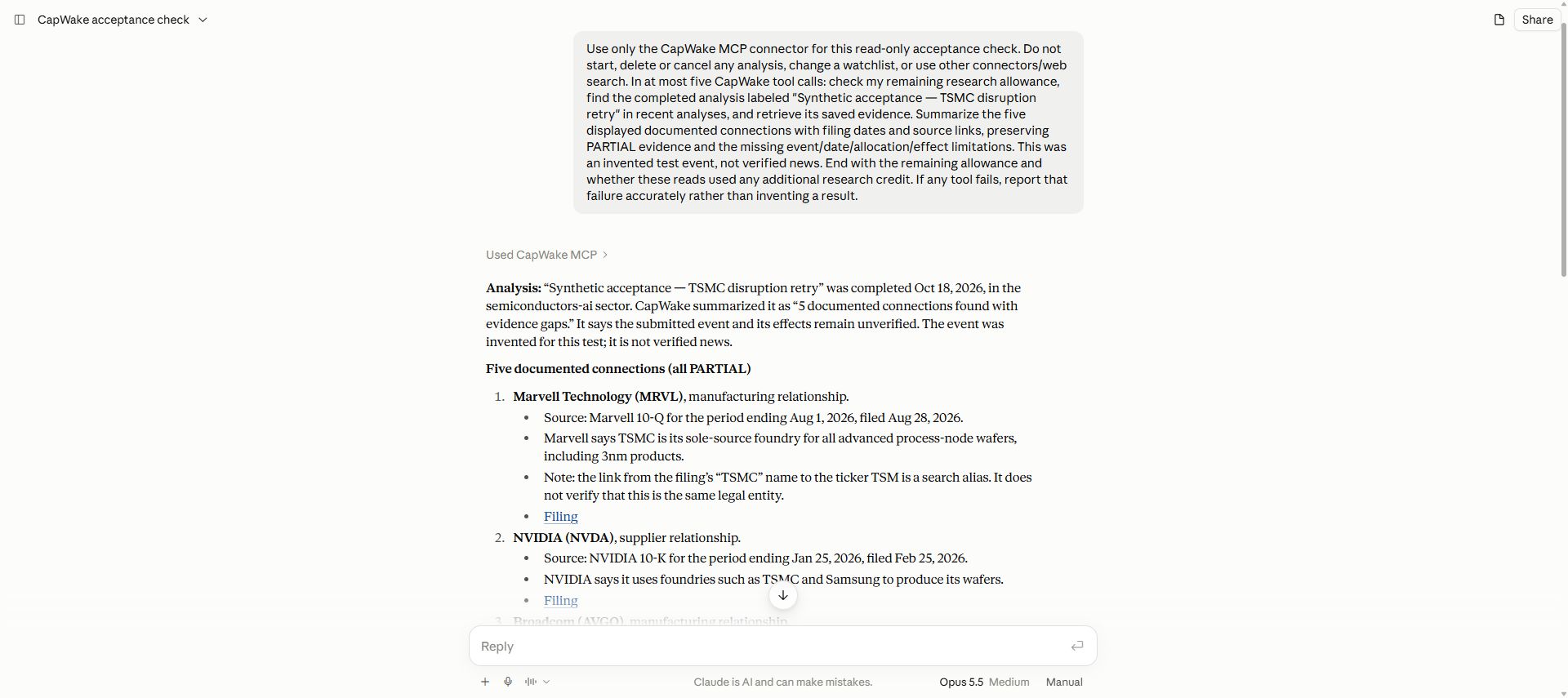
The user asks Claude to reopen an existing synthetic CapWake analysis without starting another analysis. Claude identifies it as invented and unverified. The visible findings cite Marvell’s August 28, 2026 filing and NVIDIA’s February 25, 2026 filing. Both are marked PARTIAL. The response says the connections do not establish that the event occurred or affected either company; Marvell’s source-name mapping also carries an entity-identity caveat. Reading a saved result does not start new research.
Connect Claude
Add CapWake as a custom connector in Claude on the web, Desktop, mobile or Cowork. Team and Enterprise users may need their organization owner to add it. CapWake is a custom connector, not an Anthropic directory listing.
In Claude, open Customize → Connectors → Add custom connector. Name it CapWake and enter the endpoint shown here.
Keep Sign in now and select Use Claude’s published identity if prompted. Leave OAuth Client ID, Client Secret and request headers empty.
Select Connect. On CapWake, review the access, choose Authorize and sign in, and sign in with your verified account. You return to claude.ai connected.
Start by asking for supported companies and your remaining allowance. Checking coverage uses no research credit.
Start a conversation
Show CapWake’s supported companies and my remaining research allowance.Check coverage and access without using a research credit.
Use CapWake to investigate this event for the companies I select. Ask for my approval before using a research credit.Include the event, its date and the companies you want to examine.
Using those CapWake findings, which business dependencies should I investigate first, and why? Separate cited facts from your interpretation.Follow up on the result already in your conversation.
Turn those findings into a short briefing: company, connection, source, research question and next action.Ask Claude to organize the existing evidence into a practical research plan.
Show my recent CapWake analyses and open the result I choose, with its sources and evidence gaps.Reading a saved result does not start another analysis.
Before you connect
Yes. Verify your email, then claim your eligible initial allowance of three analyses, valid for 30 days from issuance with no automatic renewal. Availability and capacity limits apply. A valid new research request in Claude can claim an eligible initial allowance; checking coverage or saved results does not. Check your access in the workspace.
Completed company research uses one research credit, including an insufficient-evidence result. Checking coverage, allowance, status or a saved result is free. Requests stopped before company research and failed analyses release the reserved credit. A request that only considers the company named in the event, with no separate documented connection, is also free. No credit is used when no covered company or documented connection can be identified.
Findings include dated sources and explain what the evidence supports and what is missing. No findings means insufficient supported evidence within the chosen scope; it does not establish that a company has no exposure. CapWake does not provide trading recommendations or price predictions.
Ask your AI app to open a saved analysis or use your CapWake history. Results remain available for seven days unless deleted sooner. Deleting a result in CapWake does not erase a copy in Claude’s conversation. Read the data and deletion details.
Reconnect when your sign-in expires or access is revoked. If you are updating an older connector, clear its saved OAuth Client ID and choose Claude’s published identity. If the old settings persist, remove and re-add the connector after five minutes.
Tested with the official MCP Inspector 2.8.0 web client. Use its separate Client ID below. Other clients need their own supported sign-in configuration.
http://localhost:6274. Follow its official setup guide.streamable-http and enter the CapWake endpoint above.4gkid911capj87pbslunksqv5gopenid email https://mcp.capwake.com/mcp/researchAnalysis runs asynchronously. Keep the same request ID when retrying and check its status every four seconds or longer.
Find the connections, open the sources and decide what to investigate next.